UX CASE STUDY
Domos
There's no place like home. Domos reimagines the smart home for the wrist — one place to control every appliance, room and alert from your Apple Watch.

01 Overview
Domos is a smartwatch application designed to be the single point of control for your smart home — letting you manage appliances across every room, check that your home is secure, and act on alerts, all from your Apple Watch.
02 User Research
Target users: men and women, 25 and above, in Tier 1 & 2 cities — both working and non-working households.
03 Information Architecture
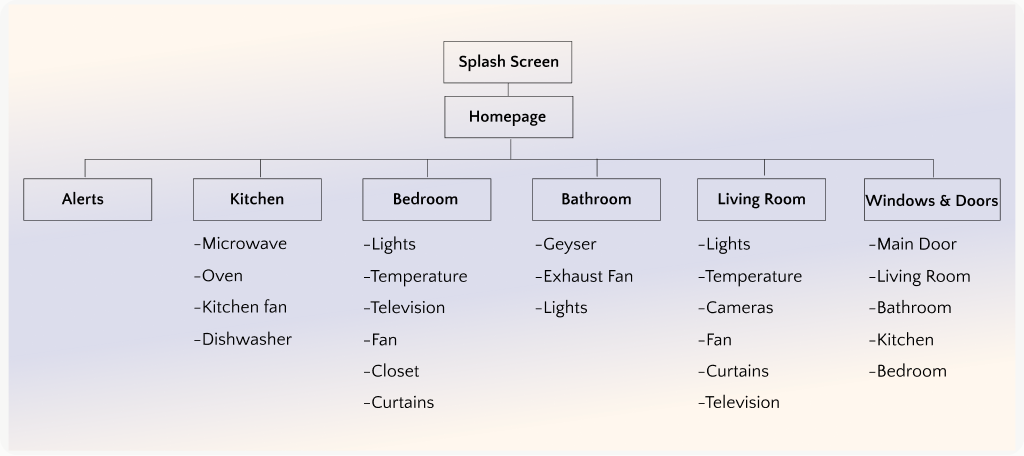
Before sketching a single screen, I mapped what lived where — every appliance grouped by room (Kitchen, Bedroom, Bathroom, Living Room, Windows & Doors) with a dedicated Alerts space.
04 Designing the Task Flow
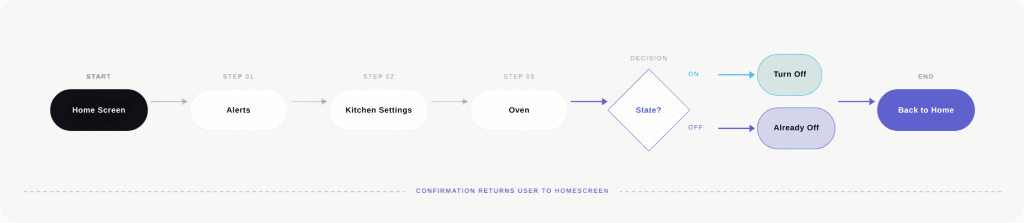
Primary scenario — the user wants to turn off the oven. I mapped the shortest path from wrist to done.
05 Storyboarding & Journey Mapping
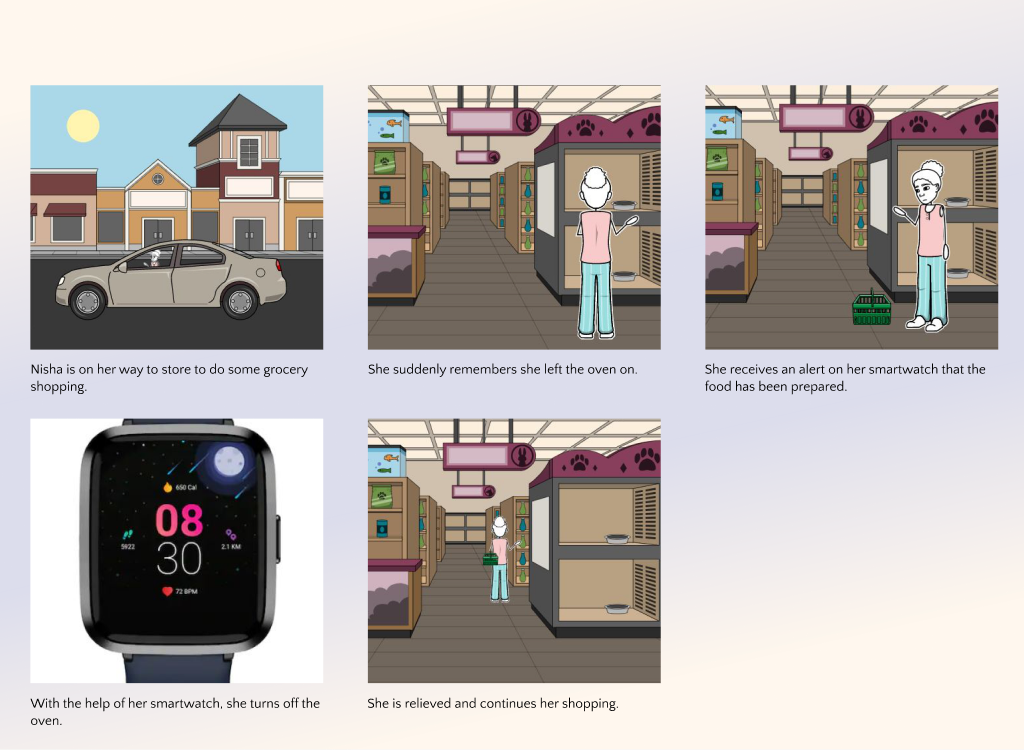
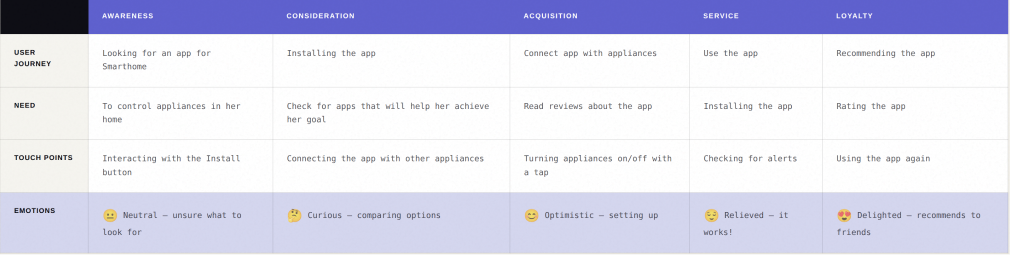
With interviews behind me, I turned toward the people themselves. I began by building a persona, a way to give shape to the patterns I'd heard, to put a face and a name to the needs surfacing across conversations. From there, I moved into storyboarding: sketching a fictional, everyday scenario that let me step into the user's life and watch the app unfold inside it. It's one thing to know what someone needs; it's another to see where that need arrives in their day. The storyboard became the bridge and it naturally evolved into a journey map, capturing the touchpoints, emotions, and moments of friction along the way. Designing intuitively meant first designing empathetically.
06 Paper Sketches
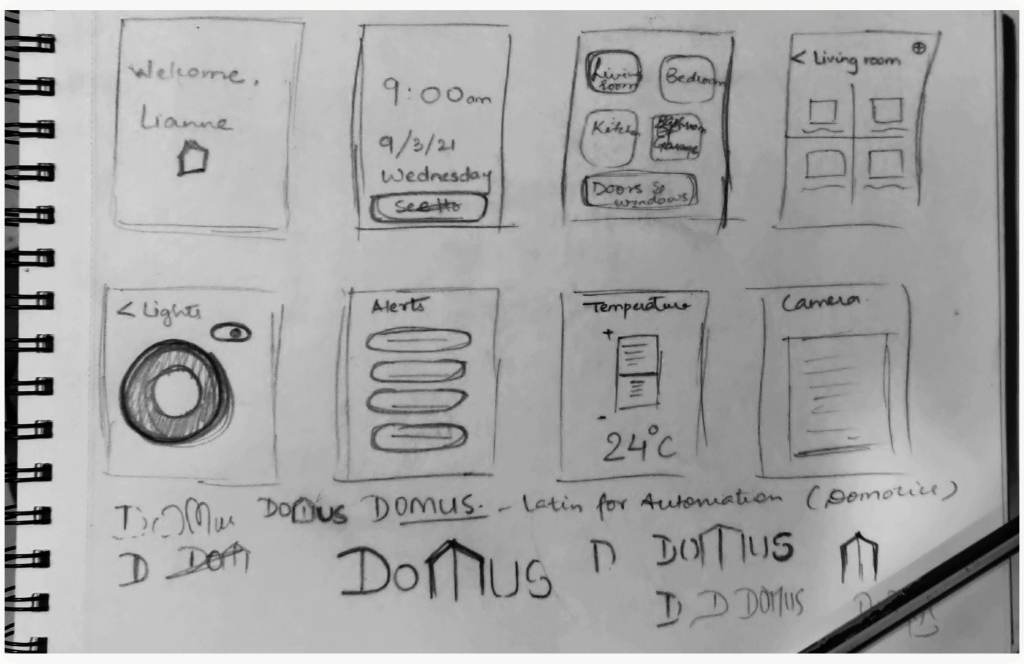
Sketching ideas before designing them — a fast, cheap way to understand flow and structure before committing to pixels.
07 Final Designs
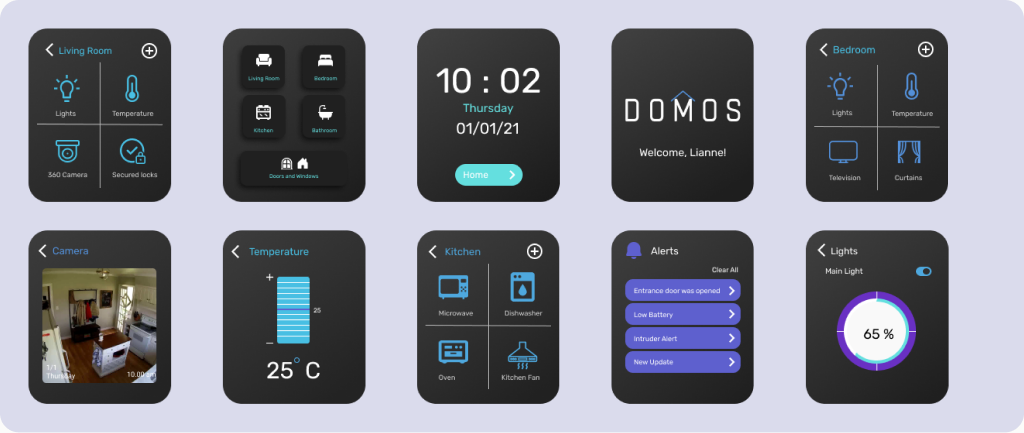
The final Apple Watch screens — prototyped and refined into a calm, glanceable interface for the wrist.
08 Prototype
The interactive prototype — a full walkthrough of controlling the smart home from the wrist.